


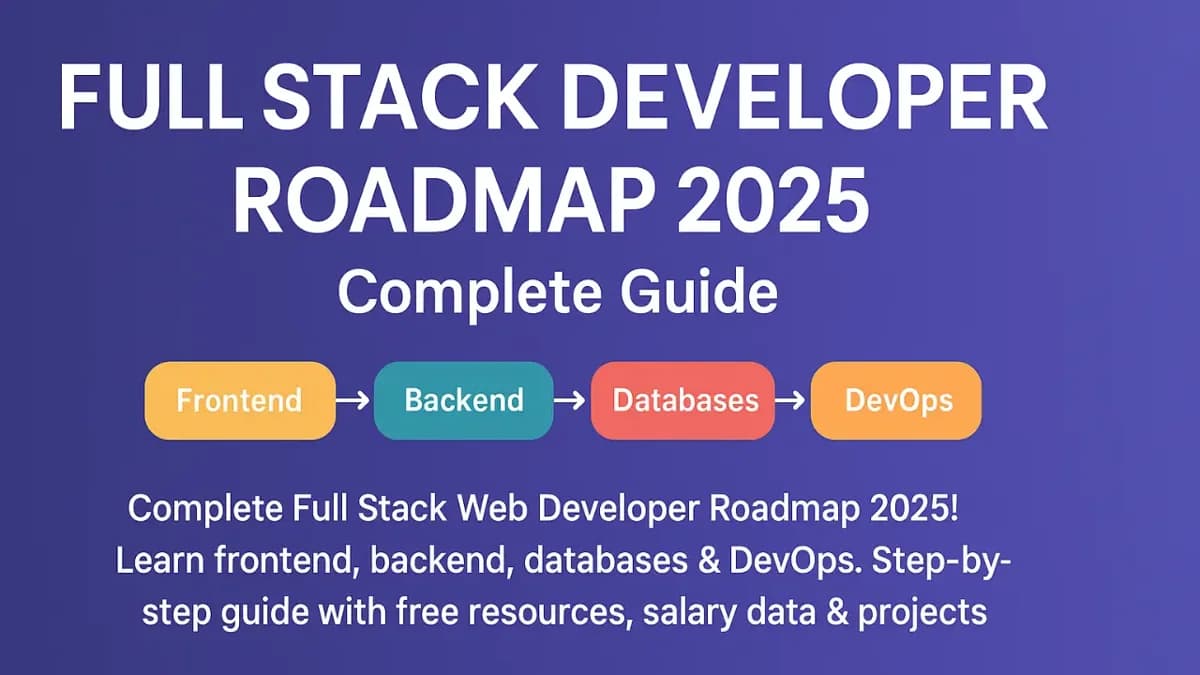
Want to become a Full Stack Web Developer but don't know where to start? You're in the right place! This comprehensive roadmap will guide you through every skill, technology, and project you need to master to land your first developer job in 2025. Whether you're a complete beginner or transitioning from another field, this step-by-step guide with timelines, resources, and real salary data will help you achieve your goal.
📚 Essential Learning Resources:
- Master React & Next.js with our Next.js 15 Complete Guide
- Learn type-safe coding with TypeScript Complete Tutorial
- Get inspired by 20 Backend Project Ideas
What is a Full Stack Web Developer?
A Full Stack Web Developer is a professional who can work on both the frontend (what users see) and backend (server, database, APIs) of web applications. They understand the complete web development process from design to deployment and can build entire applications independently.
💰 Full Stack Developer Salary in 2025:
- India: ₹4-8 LPA (Fresher), ₹8-20 LPA (2-4 years), ₹20-50 LPA (5+ years)
- USA: $70k-$100k (Fresher), $100k-$150k (Mid-level), $150k-$250k+ (Senior)
- Remote/Freelance: $25-$150 per hour based on experience
- Startup Equity: Additional 0.1%-2% equity possible
The Complete Full Stack Developer Roadmap 2025
Phase 1: Fundamentals (2-3 months)
├── HTML5 & Semantic HTML
├── CSS3 & Responsive Design
├── JavaScript ES6+
├── Git & GitHub
└── Terminal/Command Line Basics

Phase 2: Frontend Development (2-3 months)
├── React.js / Vue.js
├── State Management (Redux/Zustand)
├── CSS Frameworks (Tailwind CSS)
├── API Integration
└── Build Tools (Vite, Webpack)

Phase 3: Backend Development (2-3 months)
├── Node.js & Express.js
├── RESTful APIs
├── Authentication & Authorization
├── Database (MongoDB/PostgreSQL)
└── API Security Best Practices

Phase 4: Advanced & DevOps (1-2 months)
├── TypeScript
├── Next.js (Full Stack Framework)
├── Docker & Containerization
├── CI/CD Pipelines
├── Cloud Deployment (AWS/Vercel)
└── Testing (Jest, Cypress)

Phase 5: Projects & Job Preparation (Ongoing)
├── 5-10 Portfolio Projects
├── Open Source Contributions
├── DSA for Interviews
├── Resume & LinkedIn Optimization
└── Interview Preparation
Phase 1: Frontend Fundamentals (2-3 Months)
1.1 HTML5 Mastery (2 weeks)
HTML is the skeleton of every website. Master semantic HTML for better SEO and accessibility.
<!DOCTYPE html>
<html lang="en">
<head>
    <meta charset="UTF-8">
    <meta name="viewport" content="width=device-width, initial-scale=1.0">
    <title>My Portfolio</title>
</head>
<body>
    <!-- Semantic HTML Structure -->
    <header>
        <nav>
            <ul>
                <li><a href="#home">Home</a></li>
                <li><a href="#about">About</a></li>
                <li><a href="#projects">Projects</a></li>
            </ul>
        </nav>
    </header>

    <main>
        <section id="home">
            <h1>Welcome to My Portfolio</h1>
            <p>Full Stack Web Developer</p>
        </section>

        <section id="projects">
            <article>
                <h2>E-Commerce Platform</h2>
                <p>Built with React and Node.js</p>
            </article>
        </section>
    </main>

    <footer>
        <p>© 2025 My Portfolio</p>
    </footer>
</body>
</html>
🎯 What to Learn in HTML:
- Semantic tags (header, nav, main, article, section, footer)
- Forms and input validation
- Tables and lists
- Meta tags for SEO
- Accessibility (ARIA labels, alt text)
- HTML5 APIs (LocalStorage, Geolocation)
1.2 CSS3 & Responsive Design (3 weeks)
/* Modern CSS with Flexbox and Grid */
* {
  margin: 0;
  padding: 0;
  box-sizing: border-box;
}

/* CSS Variables for Theming */
:root {
  --primary-color: #3b82f6;
  --secondary-color: #8b5cf6;
  --text-color: #1f2937;
  --bg-color: #ffffff;
  --spacing: 1rem;
}

/* Container with Flexbox */
.container {
  max-width: 1200px;
  margin: 0 auto;
  padding: 0 var(--spacing);
}

/* Responsive Navigation */
nav {
  display: flex;
  justify-content: space-between;
  align-items: center;
  padding: 1rem 2rem;
  background: var(--primary-color);
  color: white;
}

/* Grid Layout for Projects */
.projects-grid {
  display: grid;
  grid-template-columns: repeat(auto-fit, minmax(300px, 1fr));
  gap: 2rem;
  padding: 2rem 0;
}

/* Card Design with Hover Effect */
.card {
  padding: 2rem;
  background: white;
  border-radius: 12px;
  box-shadow: 0 4px 6px rgba(0, 0, 0, 0.1);
  transition: transform 0.3s ease, box-shadow 0.3s ease;
}

.card:hover {
  transform: translateY(-5px);
  box-shadow: 0 10px 20px rgba(0, 0, 0, 0.15);
}

/* Responsive Design */
@media (max-width: 768px) {
  nav {
    flex-direction: column;
  }

  .projects-grid {
    grid-template-columns: 1fr;
  }
}

/* Animations */
@keyframes fadeIn {
  from {
    opacity: 0;
    transform: translateY(20px);
  }
  to {
    opacity: 1;
    transform: translateY(0);
  }
}

.fade-in {
  animation: fadeIn 0.6s ease-out;
}
🎯 CSS Skills Checklist:
- ✅ Flexbox for 1D layouts
- ✅ CSS Grid for 2D layouts
- ✅ Responsive design (Mobile-first approach)
- ✅ CSS Variables (Custom properties)
- ✅ Animations and transitions
- ✅ CSS preprocessors (SASS/SCSS - Optional)
- ✅ Modern CSS frameworks (Tailwind CSS)
1.3 JavaScript ES6+ Mastery (4-5 weeks)
// 1. Variables and Constants
const API_URL = 'https://api.example.com';
let userData = null;

// 2. Arrow Functions
const greet = (name) => `Hello, ${name}!`;

// 3. Destructuring
const user = {
  name: 'John Doe',
  email: '[email protected]',
  age: 25
};

const { name, email } = user;

// 4. Spread Operator
const numbers = [1, 2, 3];
const moreNumbers = [...numbers, 4, 5, 6];

// 5. Array Methods (map, filter, reduce)
const products = [
  { name: 'Laptop', price: 999 },
  { name: 'Phone', price: 699 },
  { name: 'Tablet', price: 499 }
];

// Filter expensive products
const expensive = products.filter(p => p.price > 500);

// Get product names
const names = products.map(p => p.name);

// Calculate total price
const total = products.reduce((sum, p) => sum + p.price, 0);

// 6. Promises and Async/Await
const fetchData = async () => {
  try {
    const response = await fetch(API_URL);
    const data = await response.json();
    return data;
  } catch (error) {
    console.error('Error fetching data:', error);
  }
};

// 7. DOM Manipulation
const button = document.querySelector('.btn');
button.addEventListener('click', () => {
  console.log('Button clicked!');
});

// 8. Classes and OOP
class User {
  constructor(name, email) {
    this.name = name;
    this.email = email;
  }

  greet() {
    return `Hello, I'm ${this.name}`;
  }
}

const john = new User('John', '[email protected]');

// 9. Modules (Import/Export)
export const add = (a, b) => a + b;
export default class Calculator { }

// 10. Optional Chaining and Nullish Coalescing
const userName = user?.profile?.name ?? 'Guest';
🎯 JavaScript Mastery Checklist:
- ✅ Variables (let, const) and data types
- ✅ Functions (regular, arrow, higher-order)
- ✅ Arrays and array methods
- ✅ Objects and object methods
- ✅ Promises, async/await
- ✅ DOM manipulation and events
- ✅ ES6+ features (destructuring, spread, rest)
- ✅ Modules (import/export)
- ✅ Error handling (try/catch)
- ✅ Local storage and session storage
1.4 Git & GitHub (1 week)
# Initialize a new repository
git init

# Clone existing repository
git clone https://github.com/username/repo.git

# Check status
git status

# Add files to staging
git add .
git add filename.js

# Commit changes
git commit -m "Add new feature"

# Create and switch to new branch
git checkout -b feature/new-feature

# Push to remote
git push origin main

# Pull latest changes
git pull origin main

# View commit history
git log --oneline

# Merge branches
git checkout main
git merge feature/new-feature

# Resolve merge conflicts
git mergetool

# Stash changes
git stash
git stash pop
Phase 2: Frontend Frameworks (2-3 Months)
2.1 React.js - The Most Popular Frontend Framework
import { useState, useEffect } from 'react';

// Functional Component with Hooks
function TodoApp() {
  // State management with useState
  const [todos, setTodos] = useState([]);
  const [input, setInput] = useState('');
  const [loading, setLoading] = useState(false);

  // Side effects with useEffect
  useEffect(() => {
    fetchTodos();
  }, []);

  const fetchTodos = async () => {
    setLoading(true);
    try {
      const response = await fetch('https://api.example.com/todos');
      const data = await response.json();
      setTodos(data);
    } catch (error) {
      console.error('Error:', error);
    } finally {
      setLoading(false);
    }
  };

  const addTodo = () => {
    if (input.trim()) {
      setTodos([...todos, {
        id: Date.now(),
        text: input,
        completed: false
      }]);
      setInput('');
    }
  };

  const toggleTodo = (id) => {
    setTodos(
      todos.map(todo =>
        todo.id === id ? { ...todo, completed: !todo.completed } : todo
      )
    );
  };

  const deleteTodo = (id) => {
    setTodos(todos.filter(todo => todo.id !== id));
  };

  if (loading) return <div>Loading...</div>;

  return (
    <div className="todo-app">
      <h1>My Todo App</h1>

      <div className="input-section">
        <input
          type="text"
          value={input}
          onChange={(e) => setInput(e.target.value)}
          placeholder="Add new todo..."
        />
        <button onClick={addTodo}>Add</button>
      </div>

      <ul className="todo-list">
        {todos.map(todo => (
          <li key={todo.id} className={todo.completed ? 'completed' : ''}>
            <span onClick={() => toggleTodo(todo.id)}>
              {todo.text}
            </span>
            <button onClick={() => deleteTodo(todo.id)}>Delete</button>
          </li>
        ))}
      </ul>
    </div>
  );
}

export default TodoApp;
🎯 React Skills to Master:
- ✅ Components (Functional & Class)
- ✅ JSX syntax
- ✅ Props and state
- ✅ Hooks (useState, useEffect, useContext, useRef, useMemo)
- ✅ Event handling
- ✅ Conditional rendering
- ✅ Lists and keys
- ✅ Forms and controlled components
- ✅ React Router for navigation
- ✅ State management (Context API, Redux, Zustand)
2.2 Tailwind CSS - Modern Styling
{/* Modern Card Design with Tailwind */}
<div className="max-w-md mx-auto bg-white rounded-xl shadow-md overflow-hidden md:max-w-2xl">
  <div className="md:flex">
    <div className="md:flex-shrink-0">
      <img
        className="h-48 w-full object-cover md:w-48"
        src="/img/product.jpg"
        alt="Product"
      />
    </div>

    <div className="p-8">
      <div className="uppercase tracking-wide text-sm text-indigo-500 font-semibold">
        Case study
      </div>

      <h2 className="block mt-1 text-lg leading-tight font-medium text-black hover:underline">
        Amazing Product Title
      </h2>

      <p className="mt-2 text-gray-500">
        Lorem ipsum dolor sit amet, consectetur adipiscing elit.
      </p>

      <button className="mt-4 px-6 py-2 bg-blue-600 text-white rounded-lg hover:bg-blue-700 transition duration-300">
        Buy Now
      </button>
    </div>
  </div>
</div>
Phase 3: Backend Development (2-3 Months)
3.1 Node.js & Express.js
const express = require('express');
const cors = require('cors');
const dotenv = require('dotenv');

dotenv.config();

const app = express();
const PORT = process.env.PORT || 5000;

// Middleware
app.use(cors());
app.use(express.json());
app.use(express.urlencoded({ extended: true }));

// Routes
app.get('/api', (req, res) => {
  res.json({ message: 'Welcome to my API' });
});

// GET - Fetch all users
app.get('/api/users', async (req, res) => {
  try {
    const users = await User.find();
    res.json(users);
  } catch (error) {
    res.status(500).json({ error: error.message });
  }
});

// POST - Create new user
app.post('/api/users', async (req, res) => {
  try {
    const { name, email, password } = req.body;

    // Validation
    if (!name || !email || !password) {
      return res.status(400).json({
        error: 'All fields required'
      });
    }

    const newUser = new User({ name, email, password });
    await newUser.save();

    res.status(201).json(newUser);
  } catch (error) {
    res.status(500).json({ error: error.message });
  }
});

// PUT - Update user
app.put('/api/users/:id', async (req, res) => {
  try {
    const updatedUser = await User.findByIdAndUpdate(
      req.params.id,
      req.body,
      { new: true }
    );
    res.json(updatedUser);
  } catch (error) {
    res.status(500).json({ error: error.message });
  }
});

// DELETE - Remove user
app.delete('/api/users/:id', async (req, res) => {
  try {
    await User.findByIdAndDelete(req.params.id);
    res.json({ message: 'User deleted' });
  } catch (error) {
    res.status(500).json({ error: error.message });
  }
});

// Error handling middleware
app.use((err, req, res, next) => {
  console.error(err.stack);
  res.status(500).json({ error: 'Something went wrong!' });
});

// Start server
app.listen(PORT, () => {
  console.log(`Server running on port ${PORT}`);
});
3.2 Database - MongoDB
const mongoose = require('mongoose');

// Connect to MongoDB
mongoose.connect(process.env.MONGODB_URI, {
  useNewUrlParser: true,
  useUnifiedTopology: true
}).then(() => {
  console.log('MongoDB connected');
}).catch((err) => {
  console.error('MongoDB connection error:', err);
});

// Define Schema
const userSchema = new mongoose.Schema({
  name: {
    type: String,
    required: [true, 'Name is required'],
    trim: true
  },
  email: {
    type: String,
    required: [true, 'Email is required'],
    unique: true,
    lowercase: true
  },
  password: {
    type: String,
    required: [true, 'Password is required'],
    minlength: 6
  },
  role: {
    type: String,
    enum: ['user', 'admin'],
    default: 'user'
  },
  avatar: String,
  isActive: {
    type: Boolean,
    default: true
  }
}, {
  timestamps: true // Adds createdAt and updatedAt
});

// Create Model
const User = mongoose.model('User', userSchema);

// CRUD Operations

// Create
const createUser = async (userData) => {
  const user = new User(userData);
  return await user.save();
};

// Read all
const getAllUsers = async () => {
  return await User.find().select('-password');
};

// Read one
const getUserById = async (id) => {
  return await User.findById(id).select('-password');
};

// Update
const updateUser = async (id, updates) => {
  return await User.findByIdAndUpdate(id, updates, { new: true });
};

// Delete
const deleteUser = async (id) => {
  return await User.findByIdAndDelete(id);
};

module.exports = User;
3.3 Authentication & Authorization
const jwt = require('jsonwebtoken');
const bcrypt = require('bcryptjs');

// Register User
app.post('/api/auth/register', async (req, res) => {
  try {
    const { name, email, password } = req.body;

    // Check if user exists
    const existingUser = await User.findOne({ email });
    if (existingUser) {
      return res.status(400).json({ error: 'User already exists' });
    }

    // Hash password
    const salt = await bcrypt.genSalt(10);
    const hashedPassword = await bcrypt.hash(password, salt);

    // Create user
    const user = new User({
      name,
      email,
      password: hashedPassword
    });

    await user.save();

    // Generate JWT token
    const token = jwt.sign(
      { userId: user._id, email: user.email },
      process.env.JWT_SECRET,
      { expiresIn: '7d' }
    );

    res.status(201).json({
      message: 'User created successfully',
      token,
      user: {
        id: user._id,
        name: user.name,
        email: user.email
      }
    });
  } catch (error) {
    res.status(500).json({ error: error.message });
  }
});

// Login User
app.post('/api/auth/login', async (req, res) => {
  try {
    const { email, password } = req.body;

    // Find user
    const user = await User.findOne({ email });
    if (!user) {
      return res.status(400).json({ error: 'Invalid credentials' });
    }

    // Verify password
    const isMatch = await bcrypt.compare(password, user.password);
    if (!isMatch) {
      return res.status(400).json({ error: 'Invalid credentials' });
    }

    // Generate token
    const token = jwt.sign(
      { userId: user._id },
      process.env.JWT_SECRET,
      { expiresIn: '7d' }
    );

    res.json({ token, user: { id: user._id, name: user.name, email: user.email } });
  } catch (error) {
    res.status(500).json({ error: error.message });
  }
});

// Authentication Middleware
const authMiddleware = (req, res, next) => {
  try {
    const token = req.header('Authorization')?.replace('Bearer ', '');

    if (!token) {
      return res.status(401).json({ error: 'No token provided' });
    }

    const decoded = jwt.verify(token, process.env.JWT_SECRET);
    req.userId = decoded.userId;
    next();
  } catch (error) {
    res.status(401).json({ error: 'Invalid token' });
  }
};

// Protected Route Example
app.get('/api/profile', authMiddleware, async (req, res) => {
  try {
    const user = await User.findById(req.userId).select('-password');
    res.json(user);
  } catch (error) {
    res.status(500).json({ error: error.message });
  }
});
Phase 4: Advanced Topics & DevOps (1-2 Months)
4.1 TypeScript Integration
Add type safety to your JavaScript projects. Check our TypeScript Complete Tutorial for detailed learning.
4.2 Next.js - The Full Stack Framework
Master Next.js for production-ready applications. Read our Next.js 15 Complete Guide.
4.3 Docker & Deployment
# Node.js Dockerfile
FROM node:18-alpine

# Set working directory
WORKDIR /app

# Copy package files
COPY package*.json ./

# Install dependencies
RUN npm install

# Copy application code
COPY . .

# Expose port
EXPOSE 5000

# Start application
CMD ["npm", "start"]
Phase 5: Portfolio Projects (Must Build!)
| Project | Tech Stack | Difficulty | Key Features |
|---|---|---|---|
| Todo App | React, Node, MongoDB | Beginner | CRUD operations, Auth |
| E-Commerce | Next.js, Stripe, MongoDB | Intermediate | Payments, Cart, Orders |
| Social Media | React, Node, Socket.io | Advanced | Real-time chat, Posts, Likes |
| Blog Platform | Next.js, Markdown, MongoDB | Intermediate | CMS, SEO, Comments |
| Video Streaming | React, Node, AWS S3 | Advanced | Upload, Stream, Transcode |
| Project Management | React, Node, PostgreSQL | Advanced | Kanban, Teams, Real-time |
💡 Project Ideas: Get more inspiration from our 20 Backend Project Ideas Guide!
Learning Resources & Timeline
| Resource Type | Platform | Cost | Best For |
|---|---|---|---|
| Video Courses | YouTube, Udemy, Coursera | Free/$ | Visual learners |
| Documentation | MDN, Official Docs | Free | Reference & Deep dive |
| Interactive | freeCodeCamp, Codecademy | Free/$ | Hands-on practice |
| Bootcamps | Various platforms | $$$ | Structured learning |
| Books | Amazon, O'Reilly | $$ | In-depth knowledge |
| Practice | LeetCode, HackerRank | Free/$ | Interview prep |
Realistic Timeline to Job-Ready
Month 1-2: HTML, CSS, JavaScript Fundamentals
├── Daily: 2-3 hours of coding
├── Week 1-2: HTML5 & CSS3
├── Week 3-4: JavaScript basics
├── Week 5-6: ES6+ features
└── Week 7-8: DOM manipulation projects

Month 3-4: Frontend Framework (React)
├── Daily: 3-4 hours of coding
├── Week 1-2: React basics
├── Week 3-4: Hooks & State management
├── Week 5-6: React Router & API integration
└── Week 7-8: 2-3 React projects

Month 5-6: Backend Development
├── Daily: 3-4 hours of coding
├── Week 1-2: Node.js & Express basics
├── Week 3-4: MongoDB & Mongoose
├── Week 5-6: Authentication & APIs
└── Week 7-8: 2-3 Full Stack projects

Month 7-8: Advanced & Modern Tools
├── Daily: 3-4 hours of coding
├── Week 1-2: TypeScript
├── Week 3-4: Next.js
├── Week 5-6: Docker & AWS basics
└── Week 7-8: 1-2 Production projects

Month 9-10: Portfolio & Interview Prep
├── Daily: 4-5 hours
├── Week 1-2: Build 5-star portfolio
├── Week 3-4: DSA practice
├── Week 5-6: System design basics
└── Week 7-8: Mock interviews

Month 11-12: Job Applications
├── Daily: 4-5 hours
├── Apply to 5-10 jobs daily
├── Practice interviews
├── Contributing to open source
└── Networking on LinkedIn

Result: FIRST DEVELOPER JOB! 🎉
Job Application Strategy
🎯 How to Land Your First Job:
- Portfolio Website: Showcase your best 5-8 projects
- GitHub Profile: Green squares, good READMEs, organized repos
- LinkedIn Optimization: Complete profile, connections, posts
- Resume: 1-page, project-focused, ATS-friendly
- Job Platforms: LinkedIn, Indeed, Naukri, AngelList, Wellfound
- Networking: Twitter, Discord communities, local meetups
- Cold Emails: Reach out to CTOs, hiring managers
- Freelancing: Upwork, Fiverr for initial experience
Interview Preparation Checklist
| Topic | What to Learn | Priority |
|---|---|---|
| JavaScript | Closures, Promises, Async/Await, Event Loop | 🔥 High |
| React | Hooks, Lifecycle, Performance optimization | 🔥 High |
| Node.js | Event Loop, Streams, Cluster, PM2 | 🔥 High |
| DSA | Arrays, Strings, Hash, Trees, Graphs | ⚡ Medium |
| System Design | Scalability, Load balancing, Caching | ⚡ Medium |
| Databases | Indexing, Queries, NoSQL vs SQL | ⚡ Medium |
| Behavioral | STAR method, Past projects discussion | ✅ Essential |
Common Mistakes to Avoid
❌ Don't Do This:
- Tutorial hell - watching without building
- Learning too many technologies at once
- Skipping fundamentals (HTML, CSS, JS)
- Not building projects
- Ignoring Git & GitHub
- Not writing clean code
- Copying code without understanding
- Waiting to be "perfect" before applying
- Not networking or building online presence
- Giving up after rejections
✅ Do This Instead:
- Build projects while learning
- Master one technology before moving to next
- Focus on fundamentals first
- Build and deploy real projects
- Commit code daily to GitHub
- Follow coding best practices
- Understand before implementing
- Apply when 70% ready
- Be active on LinkedIn & Twitter
- Learn from rejections, keep applying
Developer Communities to Join
- Discord: freeCodeCamp, Reactiflux, The Programmer's Hangout
- Reddit: r/webdev, r/learnprogramming, r/reactjs
- Twitter: Follow developers, share your journey
- LinkedIn: Connect with developers, post updates
- Dev.to: Write technical blogs
- Stack Overflow: Ask and answer questions
- GitHub Discussions: Participate in open source
- Local Meetups: Attend tech events in your city
Tools Every Developer Should Use
| Category | Tools | Purpose |
|---|---|---|
| Code Editor | VS Code, Cursor | Writing code |
| Version Control | Git, GitHub | Code management |
| API Testing | Postman, Thunder Client | Testing APIs |
| Design | Figma, Canva | UI/UX design |
| Database | MongoDB Atlas, PostgreSQL | Data storage |
| Deployment | Vercel, Netlify, Railway | Hosting |
| AI Tools | GitHub Copilot, ChatGPT | Code assistance |
Success Stories & Motivation
💪 Real Success Stories:
- Akshay (24): Self-taught → ₹12 LPA at Bangalore startup (8 months)
- Priya (26): Career change from teaching → $85k at US remote company (10 months)
- Rahul (22): College student → ₹8 LPA campus placement (learned in final year)
- Sneha (28): Freelancer → $50/hr on Upwork (6 months of consistent learning)
Frequently Asked Questions
Q1: Can I become a full stack developer in 6 months?
Yes, if you dedicate 3-4 hours daily with focused learning and building projects. However, 6-12 months is more realistic for most people to become job-ready.
Q2: Do I need a computer science degree?
No! Many successful developers are self-taught. Focus on building a strong portfolio and practical skills. Companies care more about what you can build than your degree.
Q3: Should I learn React or Vue first?
React has more job opportunities and a larger ecosystem. Start with React, you can learn Vue later if needed.
Q4: Is coding hard to learn?
Coding has a learning curve, but it's not impossibly hard. The key is consistency, practice, and not giving up. Start with basics and build up gradually.
Q5: How much can I earn as a fresher full stack developer?
In India: ₹4-8 LPA in tier-2 cities, ₹8-15 LPA in metro cities. US remote: $70k-$100k. Freelance: $20-$50/hr initially.
Q6: Should I learn DSA for web development jobs?
Yes, for product companies and good startups. Learn basics (arrays, strings, hash tables, trees) and solve 100-150 LeetCode problems.
Q7: Which is better - MongoDB or PostgreSQL?
Learn MongoDB first (easier, great for beginners). Add PostgreSQL later for relational database knowledge. Many jobs require knowledge of both.
Q8: Can I get a job without a portfolio?
Very difficult. Portfolio is your proof of skills. Build 5-8 projects showcasing different technologies and deploy them online.
Conclusion: Your Journey Starts Now!
Becoming a Full Stack Web Developer in 2025 is one of the best career decisions you can make. The demand is high, salaries are competitive, and you can work from anywhere. This roadmap gives you everything you need - from beginner basics to job-ready skills.
Remember: Consistency beats intensity. It's better to code 2 hours every day than 14 hours on Sunday. Stay focused, build projects, network actively, and never stop learning.
Your action plan for today:
- ✅ Save this roadmap for reference
- ✅ Set up your development environment
- ✅ Start with HTML basics today
- ✅ Join developer communities
- ✅ Commit to coding daily for next 6-12 months
The journey of a thousand miles begins with a single step. Start coding today! 🚀
🎯 Continue Your Learning Journey:
- Master React framework with Next.js 15 Complete Guide
- Add type safety with TypeScript Complete Tutorial
- Build real projects with 20 Backend Project Ideas
Quick Reference: Essential Commands
| Technology | Command | Purpose |
|---|---|---|
| React | npx create-react-app my-app | Create React app |
| Next.js | npx create-next-app@latest | Create Next.js app |
| Node | npm init -y | Initialize Node project |
| Express | npm install express | Install Express |
| MongoDB | npm install mongoose | Install Mongoose |
| Git | git init | Initialize Git repo |
Tags: Full Stack Developer, Web Development Roadmap 2025, Learn Web Development, Frontend Backend Guide, React Tutorial, Node.js Guide, Career in Web Development, Self-Taught Developer, Coding Bootcamp Alternative
Last Updated: November 2025
Category: Web Development, Career Guide, Programming Tutorial
Further Reading
Once the roadmap makes sense, the next problem is what to actually build. These backend project ideas run from beginner to production-shaped, and the TypeScript guide and Git guide cover the two things every one of those projects will need.
![20 Backend Project Ideas: Beginner to Pro Level [2025 Guide]](/_next/image?url=%2Fuploads%2Fblog-images%2F20%2520Backend%2520Project%2520Ideas%2520Beginner%2520to%2520Pro%2520Level_20251022_055050_e0r3xo.webp&w=3840&q=75)
Join the conversation
No comments yet — be the first to share what you think.