

Workforce platform · live in production
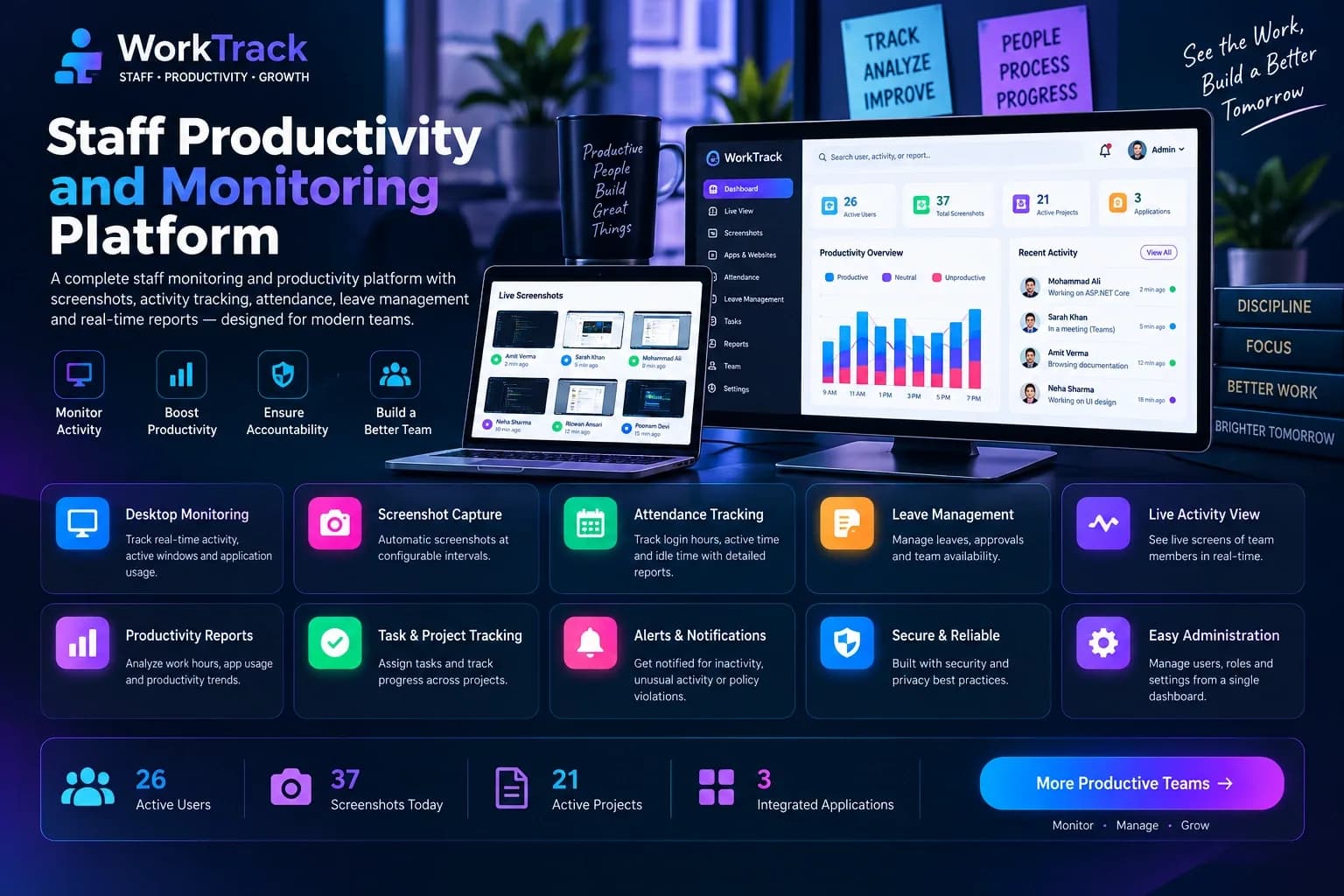
Staff Productivity
and Monitoring Platform
A three-tier attendance and productivity platform — Windows desktop client, REST API and admin dashboard.
A workforce platform built as three connected applications: a .NET MAUI desktop client on every workstation, an ASP.NET Core API, and an admin portal of 45 screens covering productivity scoring, alerting, shifts, rotas, leave, tasks and per-workstation targets.
3 Apps, 1 System
Desktop · API · Admin
01Summary
A workforce platform built as three connected applications: a .NET MAUI desktop client staff use all day, an ASP.NET Core API, and a Next.js admin dashboard for HR and operations — plus the Windows packaging, code-signing and auto-update work that makes an internal tool install cleanly on ordinary office machines.
- Trustworthy attendance
- Live task visibility
- Clean Windows install
02The Problem
Tracking a distributed office and shift workforce on trust alone does not hold up — "clocked in" is not the same as "at their desk". Before this system there was:
No reliable record of working hours — attendance on an honour system or a spreadsheet updated after the fact.
No live view of who is on a task, idle or on a break without walking over and asking.
Manual handling of attendance policy — Saturday rotas, late-login tolerance and leave accrual, applied by memory.
No productivity signal for remote or hybrid staff beyond self-reporting.
A client that must install cleanly on ordinary Windows machines, past Defender and SmartScreen, with no IT pre-staging.
03My Role & Scope
End-to-end development, from architecture to deployment and ongoing production support.
- Desktop client.NET MAUI / WinUI3 with a Blazor Hybrid UI — staff in/out, live task timers, leave, attendance calendar, rota, background capture, idle auto-logout and native toast reminders.
- Backend APIASP.NET Core and EF Core over SQL Server — 26 controllers for attendance, tasks, leave, rota, productivity scoring, app-usage categorisation and alert rules, with scheduled jobs.
- Admin webA 21-page Next.js dashboard — live running tasks, idle users, attendance and leave approval, team assignment, activity logs and work reports.
- Release engineeringSelf-contained single-file installer, Authenticode signing, machine-level certificate trust, Defender exclusion and a hosted-manifest auto-update with changelog.
04Architecture
Windows deployment layer: self-contained publish → Authenticode sign → machine-level certificate trust at install → auto-update check against a hosted version manifest.
Desktop client (staff)
Admin web (HR & ops)
ASP.NET Core API
SQL Server
05Key Features
Everything the platform does, in one place.
- Once-a-day staff-inStaff-in fires exactly once per day however often the app restarts; staff-out is idempotent, including the automatic one on Windows shutdown.
- Live task timersA team-wide running-tasks board, grouped by team, with idle and no-task auto-logout after a configurable timeout.
- Leave managementHalf-day and full-day, paid and unpaid leave, running balances with snapshots and automatic Saturday-off rota generation.
- Productivity signalBackground capture, app-usage categorisation and a scoring service surfaced in the admin dashboard.
- In-flow remindersNative Windows toasts that appear above whatever staff are working in, with click-to-foreground.
- A client that trusts itselfThe installer signs the build, trusts its own certificate on the target machine and checks a hosted manifest for updates.
06Engineering challenges & how I solved them
Real problems found against live production data — with the actual debugging path, not just the fix.
A one-time staff-in was quietly becoming several+
Symptom: After any staff-out — including the automatic one on shutdown — the app asked staff to staff in again, adding a new attendance row each time.
Investigation: The "staffed in today" check filtered on StaffOutTime being empty, so once a row had a staff-out time the client decided the person had never staffed in.
Fix: Dropped that filter and added a guard on the insert path, on both client and server, so a day can only ever have one row.
The installed client crashed on launch — except on lucky machines+
Symptom: DllNotFoundException at the first line of the WinUI entry point, never seen in a dev build.
Investigation: Event Viewer showed every recent installer had shipped with it. A stray EnableMsixPackaging flag meant the native WinUI runtime never reached the self-contained output; machines with Visual Studio simply masked it.
Fix: Turned MSIX packaging off and added a post-publish step copying the runtime into the real output — a genuinely self-contained build.
Fixing the crash revealed a blank window+
Symptom: Installed to Program Files, the app showed only its splash colour forever, with no error.
Investigation: WebView2 creates its profile folder next to the executable by default, and a standard account cannot write to Program Files.
Fix: Pointed WebView2 at a per-user writable folder through WEBVIEW2_USER_DATA_FOLDER before the control is created.
A notification logged "shown OK" and nobody ever saw it+
Investigation: The classic toast API silently drops notifications from apps without a registered Start Menu shortcut, while still reporting success.
Fix: Moved to the Windows App SDK notification manager, which supports unpackaged apps and exposes a click event used to bring the window forward.
Getting an internal tool past Defender with no certificate budget+
Investigation: An unsigned, single-file executable is exactly what Defender and SmartScreen flag hardest.
Fix: Signed the build with a self-signed certificate and registered that certificate as trusted at install time, with a Defender exclusion as a second layer.
Case study
A one-time staff-in was quietly becoming several
Problem
After any staff-out — including the automatic one on shutdown — the app asked staff to staff in again, adding a new attendance row each time.
Investigation
The "staffed in today" check filtered on StaffOutTime being empty, so once a row had a staff-out time the client decided the person had never staffed in.
Solution
Dropped that filter and added a guard on the insert path, on both client and server, so a day can only ever have one row.
07Impact
What changed once the platform was in place.
- Attendance data is trustworthy for payroll instead of accumulating duplicate clock-in rows.
- An installer that failed on clean machines now runs reliably everywhere.
- Reminders actually reach staff instead of reporting success into the void.
- Removed a recurring class of "it won't open" support tickets by fixing deployment at the root.
.NET MAUI / WinUI3Blazor HybridASP.NET CoreEF CoreSQL ServerJWT authNext.js / ReactInno SetupAuthenticode signingWin32 interopBackground jobs
Have a similar project?
Let's build something great together.
From shipping platforms to custom business tools — I can help turn your idea into reality.
- Free consultation
- Clear roadmap
- On-time delivery