


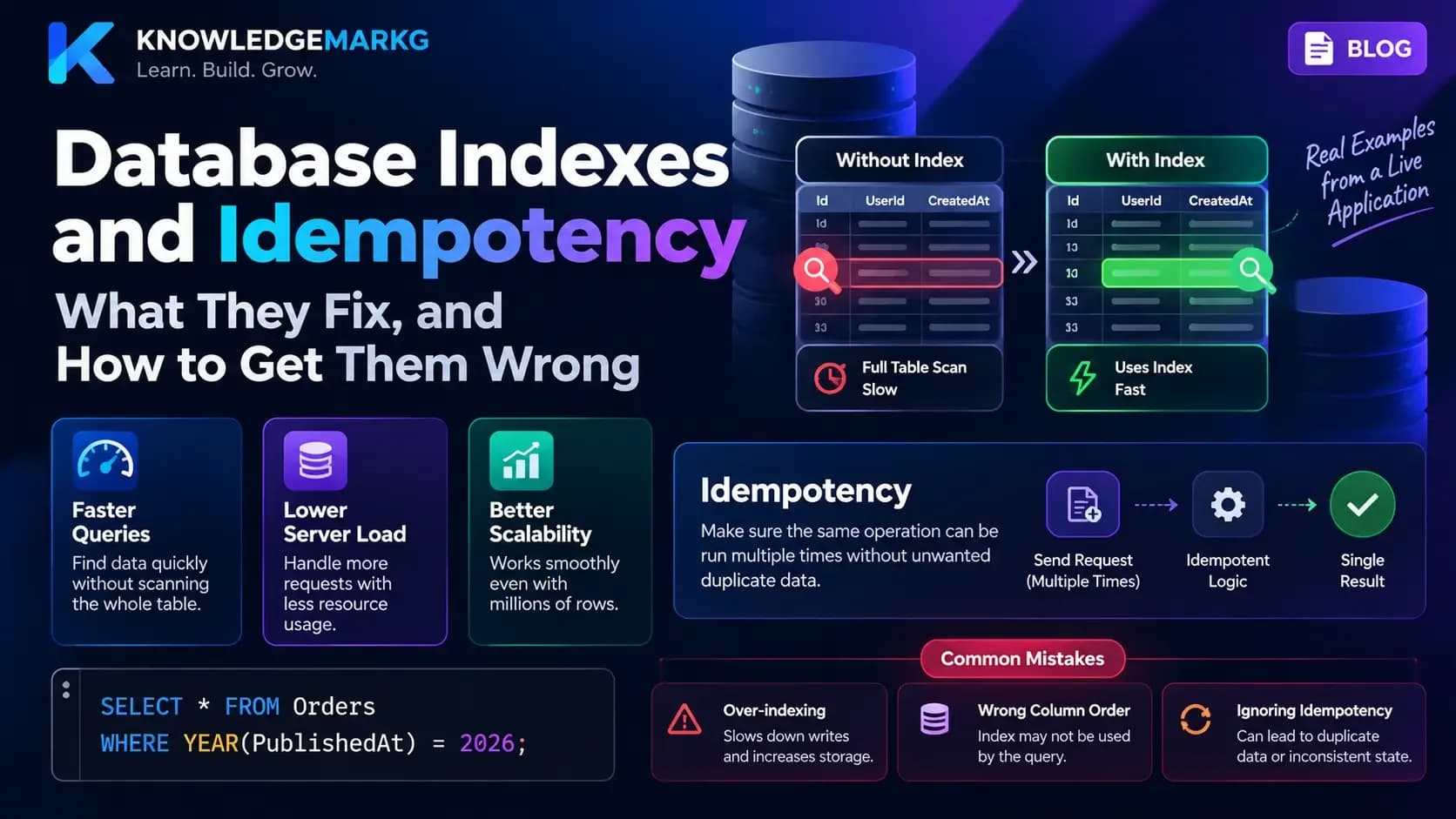
Two things quietly decide whether a small application survives being used: whether its reads are indexed, and whether its writes can be repeated safely. They are usually taught as separate subjects - one belongs to databases, the other to API design. They are the same subject seen twice. An index is how reads survive scale. Idempotency is how writes survive retries.
Every example below is from the application that serves this page, including a failure that happened while it was being written.
Updated 22 October 2026: the idempotency sections now cover concurrent duplicates - two identical requests arriving at the same moment - and why a
UNIQUEconstraint, not a check in your code, is what actually stops them. They also cover what no database transaction can protect: a card charge or an email sent from inside it. Thanks to Kashif Manzer for pointing out the race in the comments on DEV.
Part one: what an index actually is
The mental model that gets people into trouble is "an index makes the table faster". It does not. An index is a second, ordered copy of some of your columns, with a pointer back to the row. Adding one gives the query planner a new route to the data. It does not change the table.
Two consequences follow immediately, and both matter more than the speedup:
- Every index is paid for on write. An insert into a table with four nonclustered indexes writes to five structures, not one. An index nobody reads is a pure tax.
- An index only helps if the query can use it. Wrapping the indexed column
in a function -
WHERE YEAR(PublishedAt) = 2026- throws the ordering away and the planner scans anyway. So does a leading wildcard in aLIKE.
The problem an index solves, concretely
This site lists blog posts. The query behind that list is, in effect:
SELECT ... FROM BlogPosts
WHERE IsPublished = 1 AND PublishedAt IS NOT NULL
ORDER BY PublishedAt DESC;
Without a useful index the database reads every row to find the published ones, then sorts the survivors. At a hundred rows nobody notices. At fifty thousand you are reading fifty thousand rows and sorting most of them to return ten.
With the right index the database walks a structure that is already filtered and already in the right order, takes the first ten entries, and stops.
Composite indexes, and why column order is the whole game
These three indexes shipped with this application:
IX_BlogPosts_IsPublished_PublishedAt             (IsPublished, PublishedAt)
IX_BlogPosts_IsPublished_IsFeatured_PublishedAt  (IsPublished, IsFeatured, PublishedAt)
IX_BlogPosts_AuthorId_IsPublished                (AuthorId, IsPublished)
Look at the first one. The order is not arbitrary and it is not alphabetical. A composite index is sorted by its first column, then within that by its second - like a phone book sorted by surname, then first name.
(IsPublished, PublishedAt) puts all the published rows together, and inside that
group they are already in date order. The query above filters on the first column and sorts on
the second, so the database seeks to the published section and reads straight down it. No sort
step at all.
Reverse it to (PublishedAt, IsPublished) and the index loses the property that
mattered. The rows are now ordered by date first, with published and unpublished rows interleaved,
so there is no contiguous block of published rows to seek to. The database can still read the
index newest-first and throw drafts away as it goes - cheap while almost every row is published,
expensive once most of them are drafts or scheduled posts, because it has to wade through all of
them to collect ten survivors. The first arrangement costs the same however many drafts exist.
Same two columns. Same table. One arrangement seeks straight to the answer; the other has to read past everything that is not the answer. The rule worth memorising: columns you filter by with equality come first, the column you sort or range-scan on comes last.
Why the third index exists separately
(AuthorId, IsPublished) could look redundant next to the others. It is not,
because of the leftmost-prefix rule: an index on (A, B) can serve queries filtering
on A, or on A and B - but it cannot seek on B
alone. The author page filters by author first, so it needs an index that leads with
AuthorId. No amount of indexes leading with IsPublished will help it.
When not to add one
Indexes are not free and the instinct to add one per column is how tables get slow at writing without getting faster at reading. Skip them on small tables, on a column with very few distinct values on its own (a bit column is a fine leading column of a composite and a poor index by itself), and on anything you have not actually seen in a slow query. Add them from evidence - an execution plan, a slow query log - rather than from intuition.
This table is its own example. Alongside the composites it still carries the single-column
IX_BlogPosts_IsPublished from the first migration. By the leftmost-prefix rule,
(IsPublished, PublishedAt) can already answer anything that index can, so it is now
a write cost with no read benefit - a candidate to drop once the query plans confirm nothing
still chooses it.
The other job an index does: a unique index is a rule
Everything above is about indexes as a route to data. A UNIQUE index is also a
rule the database enforces on every write: no two rows may share that value, however and
whenever they arrive. That second job is the one Part two depends on.
Part two: idempotency, and the problem it actually solves
An operation is idempotent when doing it twice leaves the same result as doing it once. Reading is naturally idempotent. Setting a value is idempotent. Appending is not. Charging a card is emphatically not.
The problem it solves is narrower and more common than "duplicate clicks". It is this: a network gives you no way to tell a request that failed from a response that was lost. Your client sends a request, waits, and gets a timeout. Did the server do the work? You cannot know from the client. And the moment you retry - and HTTP clients, load balancers and message queues all retry - you are betting the outcome on that unanswerable question.
Idempotency removes the question. If the operation is safe to repeat, the retry is safe. You stop needing to know whether the first attempt landed.
The pattern, in SQL
The simplest form is to make the write describe the destination rather than the change. This is not idempotent:
UPDATE Posts SET ViewCount = ViewCount + 1 WHERE Id = 42; -- runs twice, counts twiceThis is:
UPDATE Posts SET ViewCount = 981 WHERE Id = 42; -- runs twice, same resultWhen you genuinely need an increment, the idempotency has to come from somewhere else - usually a record of which events you have already counted.
For inserts, the equivalent is to check before writing. The script that published this post runs as an upsert, so running it a second time edits the post rather than creating a duplicate:
IF EXISTS (SELECT 1 FROM BlogPosts WHERE Slug = @slug)
    UPDATE BlogPosts SET Title = @title, Content = @content WHERE Slug = @slug;
ELSE
    INSERT INTO BlogPosts (Title, Slug, Content) VALUES (@title, @slug, @content);
That is a small habit with a large payoff: any script written this way can be re-run after a failure without anyone having to work out how far it got.
But it is only safe when it runs once at a time. Run it twice
concurrently and both copies can execute the IF EXISTS, both see nothing,
and both insert. Under SQL Server's default READ COMMITTED isolation the check and
the insert are two separate steps, and nothing stops another session slipping in between them.
For a script you run by hand that is rarely a problem. For the same pattern behind an API
endpoint, it is exactly what a double submit does.
Two fixes, and the first one is not optional:
-- 1. Make the database refuse the duplicate. This is the guarantee.
CREATE UNIQUE INDEX UX_BlogPosts_Slug ON BlogPosts (Slug);

-- 2. Optionally, serialise the check so the second caller waits instead of failing.
BEGIN TRAN;
IF EXISTS (SELECT 1 FROM BlogPosts WITH (UPDLOCK, HOLDLOCK) WHERE Slug = @slug)
    UPDATE BlogPosts SET Title = @title, Content = @content WHERE Slug = @slug;
ELSE
    INSERT INTO BlogPosts (Title, Slug, Content) VALUES (@title, @slug, @content);
COMMIT;
UPDLOCK, HOLDLOCK makes the second session wait at the IF EXISTS
until the first commits, and then see the row. It is a good habit, but it is a habit - forget the
hint once and nothing warns you. The unique index cannot be forgotten: the worst case becomes a
clean error instead of a silent duplicate.
On this site the guarantee was there before the script was written. BlogPosts.Slug
has carried a unique index, IX_BlogPosts_Slug, since the first migration, so two
overlapping runs of the publishing script cannot produce two posts - the second stops with error
2601. The script itself has no lock hint, and has never needed one.
Idempotency keys, and when you need one
Checking before writing works when the row has something naturally unique - a slug, an email,
an order reference. When it does not, the client supplies the uniqueness instead: a key generated
per intended operation, sent with the request, and stored by the server alongside the result.
Stripe popularised the pattern with its Idempotency-Key header, and it is the right
answer for anything that moves money or sends a message.
The obvious implementation is: look the key up; if it has been seen, return the stored response; if not, do the work and record the key. That has the same race as the upsert. Two requests with the same key - a double click, or a client retrying while the first attempt is still running - can both look the key up, both find nothing, and both do the work. Every request carried the right key, and the work still happened twice.
The fix is to stop asking the question in code and let the database answer it. Give the key a uniqueness constraint, and make claiming the key the first write:
CREATE TABLE IdempotencyKeys (
    ClientId        int            NOT NULL,   -- whose key it is
    IdempotencyKey  nvarchar(100)  NOT NULL,   -- as sent by the client
    RequestHash     binary(32)     NOT NULL,   -- SHA-256 of the request body
    StatusCode      int            NULL,       -- NULL while the work is still running
    ResponseBody    nvarchar(max)  NULL,
    CreatedAt       datetime2      NOT NULL,
    CompletedAt     datetime2      NULL,
    CONSTRAINT PK_IdempotencyKeys PRIMARY KEY (ClientId, IdempotencyKey)
);
BEGIN TRAN;
-- Claim the key first. A second request with the same key cannot get past this line.
INSERT INTO IdempotencyKeys (ClientId, IdempotencyKey, RequestHash, CreatedAt)
VALUES (@clientId, @key, @requestHash, SYSUTCDATETIME());
-- ... do the database work here: insert the order, reserve the stock ...
UPDATE IdempotencyKeys
SET StatusCode = @status, ResponseBody = @body, CompletedAt = SYSUTCDATETIME()
WHERE ClientId = @clientId AND IdempotencyKey = @key;
COMMIT;Now the database arbitrates. When two requests race, the second INSERT waits on
the first one's uncommitted row and then either fails with a duplicate-key error (2627 for a
primary key or unique constraint, 2601 for a unique index) or, if the first rolled back, succeeds
and does the work itself. There is no window in which both can believe the key is new.
Two columns in that table are there for reasons that are easy to miss:
- The key is unique per client, not globally. Keys come from clients, and two clients can send the same one. With a global key, the second client gets the first client's stored response - someone else's order, returned as theirs.
- The request hash catches a reused key. The same key with a different body is a client bug, not a retry. Replaying the old response would hide it; reject it with a 4xx instead.
Two ways to hold the claim
One transaction, for quick database-only work. This is the code above: claim, work and response commit together. A crash anywhere rolls all of it back, claim included, so a retry starts clean. A concurrent duplicate simply waits on the insert and gets the duplicate-key error once the first commits. The cost is that the transaction stays open for the whole operation, so keep it to work that takes milliseconds.
Claim, then work, then complete, for long-running work. Commit the claim in a
short transaction of its own, do the work, then record the response in a second one. Locks stay
short, but two new situations appear. A repeat can find a claimed row with
CompletedAt still NULL: answer it with a 409 and a Retry-After, never by
doing the work again. And a crash between claim and completion leaves a row that says "in
progress" forever, so give the claim an expiry time and let a later request take over an expired
claim - after checking whether the work actually happened.
What no database transaction protects
Charging a card is an HTTP call to a payment provider, and rolling back your transaction does not refund it. If the process dies after the charge succeeds and before your commit, the claim is rolled back with everything else, and the retry charges again. The database did its job; the duplicate happened outside it.
The fix is to carry the idempotency across that boundary. Payment providers take an
idempotency key of their own - Stripe accepts one on every POST - so pass one derived
from yours, and the provider refuses the second charge the same way your table refuses the second
claim. For emails and webhooks, write the message to an outbox table inside the transaction and
send it from there afterwards, so "this message should be sent" commits atomically with the
work.
The remaining details are smaller but each one breaks the pattern if skipped:
- The duplicate-key error is not an error. Catch 2627 / 2601, read the stored row, and return its response. Surfacing it as a 500 turns a retry that already succeeded into an apparent failure.
- Return the stored response, not a bare 200. Otherwise the caller cannot tell what happened.
- Keys expire. Keep them long enough to cover your clients' retry window - Stripe keeps them for at least 24 hours - then delete them in batches.
The check in code is still useful - it answers a repeat quickly without opening a transaction. But it is an optimisation. The constraint is the guarantee.
Where the two ideas meet: EF Core's migration history
Entity Framework's __EFMigrationsHistory table is an idempotency ledger, though
nobody calls it that. It exists so that running dotnet ef database update twice does
not apply the same migration twice. Each applied migration's ID is the key, and it is the table's
primary key, so the ledger can never hold the same migration twice.
That protects the ledger, not the schema. Two deploys racing could both run the same
ALTER TABLE before either writes its history row. EF Core 9 closes that gap
separately: Migrate() now takes a database-wide lock before it starts, so only one
process migrates at a time. The key stops the bookkeeping duplicating; the lock stops the work
duplicating. Same two halves as the idempotency table above.
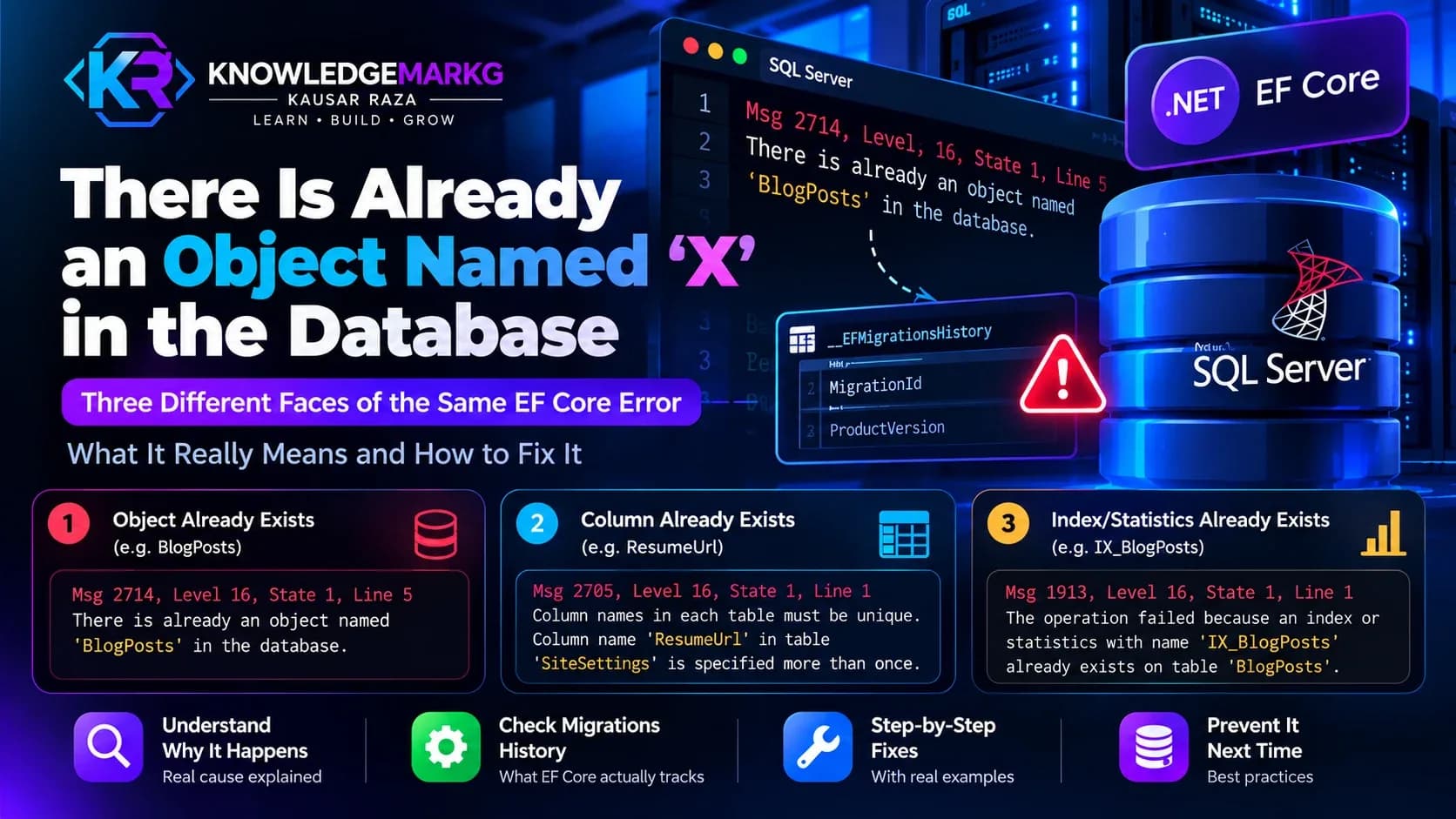
Which makes its failure mode instructive - and it happened on this project while this article was being drafted. A migration had been applied under one generated ID. Later the migration file was regenerated and picked up a new timestamp in its name. The change was already in the database; the ledger held the old key. EF compared files to history, saw an ID it had no record of, and tried to apply it again:
Column names in each table must be unique.
Column name 'ResumeUpdatedAt' in table 'SiteSettings' is specified more than once.
The schema was correct. Only the bookkeeping was wrong. The fix is to record the key that should have been there - itself written idempotently, so re-running it is harmless:
IF NOT EXISTS (SELECT 1 FROM __EFMigrationsHistory
               WHERE MigrationId = '20260920154332_AddResumeToSiteSettings')
    INSERT INTO __EFMigrationsHistory (MigrationId, ProductVersion)
    VALUES ('20260920154332_AddResumeToSiteSettings', '9.0.0');
Here the check-then-insert race is harmless: MigrationId is the primary key, so a
concurrent second run would fail with a duplicate-key error rather than write a second row.
The lesson generalises past EF. An idempotency mechanism is only as good as the stability of its key. Change how the key is derived and the ledger stops protecting you - silently, until something tries to run twice. The mirror-image failure, where EF tries to create something the database already has, is covered in "There is already an object named X in the database": what EF Core is really telling you.
What to take from this
Indexes answer a question about reading: can the database find these rows without looking at all of them? Get the column order right and most of the work disappears; get it backwards and the database reads past rows it was supposed to skip, while you still pay for the index on every insert.
Idempotency answers a question about writing: if this runs twice, is the result the same? Make it so - including for the side effects that leave your database - and the entire category of bug that begins "the request timed out and then everything was duplicated" stops existing.
And the two meet in one place: a unique index. It is how the database finds a key quickly, and it is the only thing that keeps "have I seen this key?" true when two requests ask at the same moment. A check in your code is a hope; a constraint is a guarantee.
Neither is advanced. Both are the difference between an application that works in testing and one that works in production.

Join the conversation
No comments yet — be the first to share what you think.