


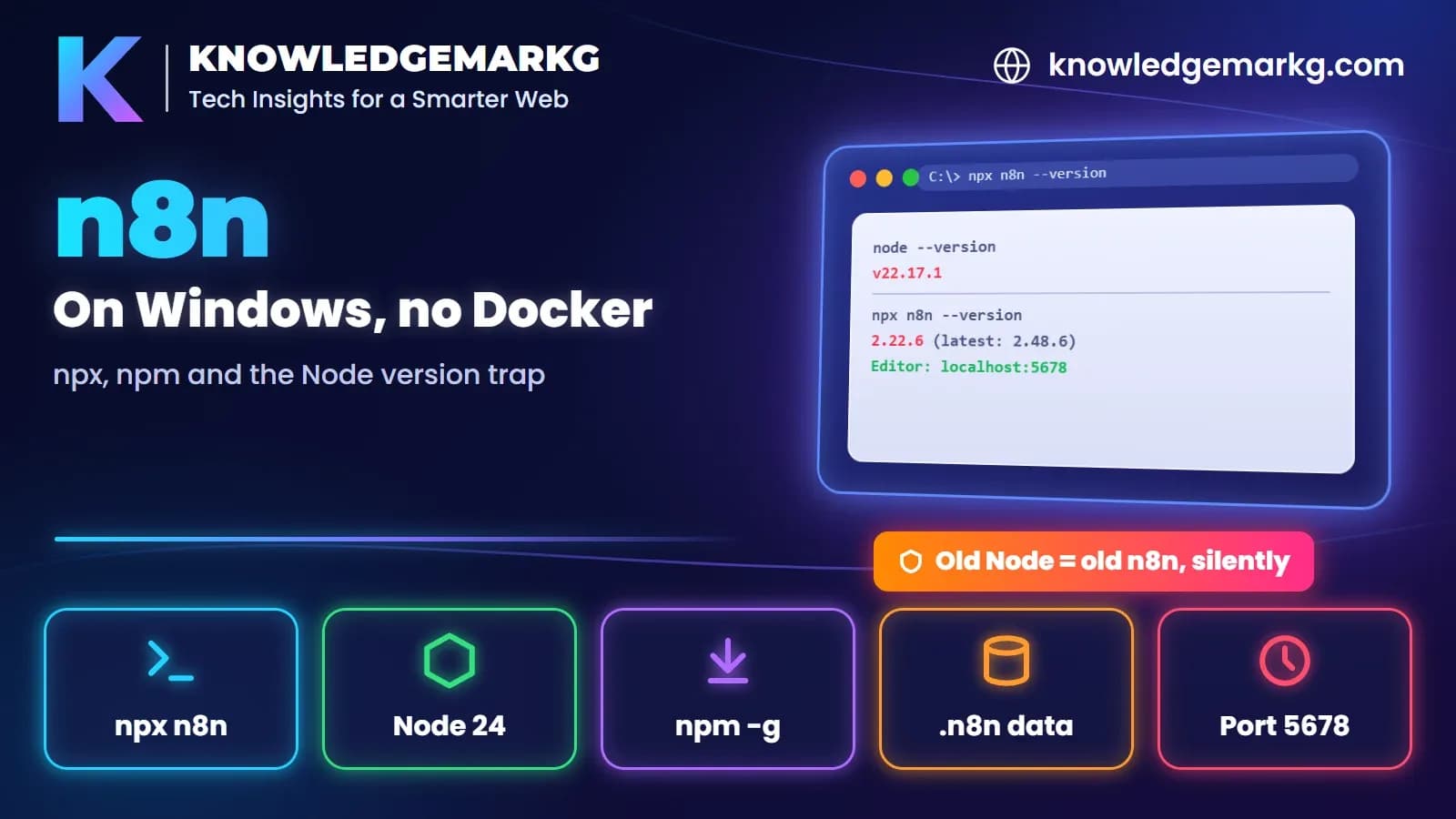
You can run n8n on Windows without Docker. With Node.js installed, this one command downloads it and starts the
editor on http://localhost:5678:
npx n8nThere's a catch the docs don't mention, and I only found it by running it. On 20 November 2026 the latest n8n
was 2.48.6. On my Windows 11 PC with Node 22.17.1, npx n8n installed 2.22.6, a release
from June. It showed no error and no "please upgrade Node" message. It ran, and it was five months out of date.
This post covers that trap, what the first start really looks like, and the problems you're likely to hit. Every output below is copied from my terminal, except where I say I read it from the npm registry instead.
Step 1: check your Node.js version first
n8n is a Node.js app, so Node decides which n8n you get. Run these three commands before anything else:
C:\>node --version
v22.17.1

C:\>npm view n8n dist-tags.latest
2.48.6

C:\>npm view n8n@latest engines.node
>=24.0.0
The third line is the important one. Since version 2.36.0 (18 August 2026), every n8n release needs Node 24 or newer. The npm install page in n8n's docs still said "n8n requires a Node.js version between 20.19 and 24.x, inclusive" when I read it. That matched older releases, but not the current one.
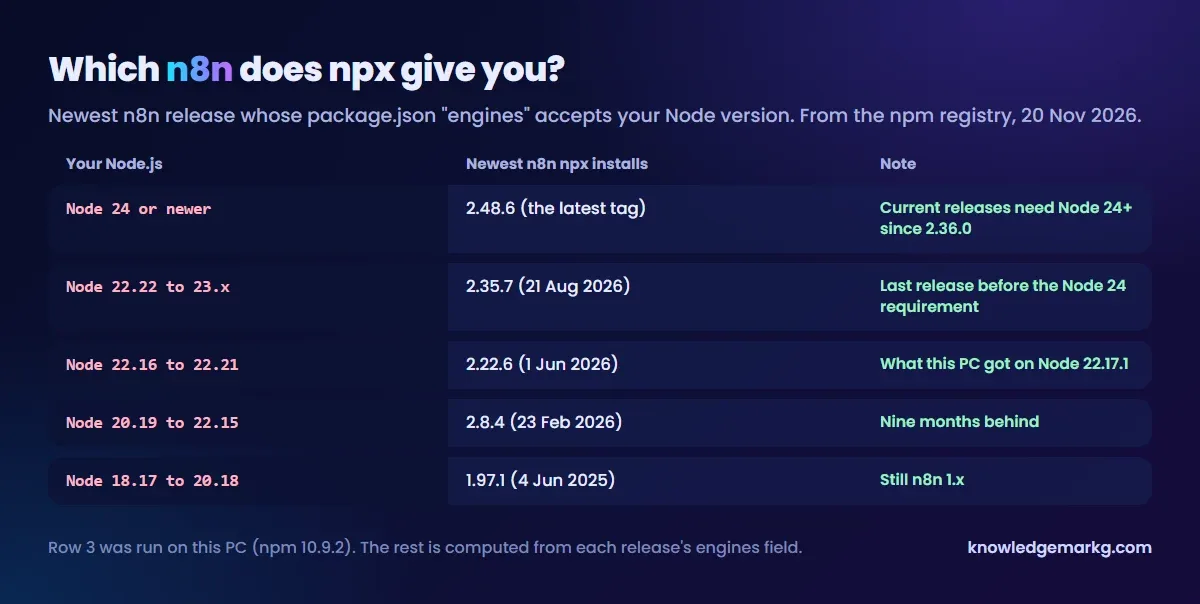
If your Node is older, npm doesn't fail. It picks the newest n8n release whose engines field accepts
your Node and installs that instead. I worked out what that means for each Node version from the npm registry:
So if you want current n8n, install Node 24 or newer from nodejs.org first, then open a new terminal so the new
node is the one on PATH. I didn't upgrade Node on this PC, so I haven't run the Node 24 path
myself.
Step 2: run it with npx
npx n8n downloads n8n into npm's cache and runs it, without a global install. The first run is slow.
Mine took about ten and a half minutes and printed a wall of warnings:
C:\>npx --yes n8n --version
npm warn ERESOLVE overriding peer dependency
npm warn deprecated @langchain/community@1.1.27: This package has been deprecated...
(76 "deprecated" lines and 32 ERESOLVE warnings in total)
2.22.6
The exit code was 0, and n8n started fine afterwards. The deprecation and peer-dependency warnings come from n8n's own dependencies, so you can't fix them and you don't need to. The only line that matters is the version number at the end. Compare it with the latest version from Step 1.
Step 3: the first start (don't close it early)
Run npx n8n without --version to start it. Here's the startup log, shortened:
C:\>npx n8n
No encryption key found - Auto-generating and saving to: C:\Users\you\.n8n\config
Initializing n8n process
n8n ready on ::, port 5678
Migrations in progress, please do NOT stop the process.
...
n8n Task Broker ready on 127.0.0.1, port 5679
Failed to start Python task runner in internal mode. because its virtual environment
is missing from this system. ...
Registered runner "JS Task Runner"
Version: 2.22.6

Editor is now accessible via:
http://localhost:5678
Four things in that log are worth knowing:
- Migrations run on the first start. Mine ran 178 database migrations, and n8n says "please do NOT stop the process" while they run. The editor answered after about 30 seconds. Wait for the "Editor is now accessible" line before you open the browser.
- Your data lives in a
.n8nfolder. By default that's in your user folder. Mine heldconfiganddatabase.sqlite, because n8n uses SQLite out of the box, so no database server is needed. Workflows and credentials live in that database. - The encryption key is generated once and saved in
.n8n\config. Saved credentials are encrypted with it. If you back up or movedatabase.sqlite, takeconfigwith it. Without the key, the credentials in that database can't be decrypted. - The Python task runner warning is about Python only. The JavaScript runner registered and the editor worked. My reading is that Code nodes written in Python won't run in this setup, but I didn't test a Python Code node.
Then open http://localhost:5678 in your browser. A fresh install starts by setting up an owner
account, stored in the same local database. I only checked that the editor answered (its /healthz
endpoint returned {"status":"ok"}), not the sign-up screen. To stop n8n, press Ctrl+C in the
terminal.
npx or npm install -g?
npx n8n is good for trying it. If you'll use n8n regularly, n8n's docs also give a global
install:
npm install n8n -g        # install once
n8n start                 # then start it any time (plain "n8n" works too)
npm update -g n8n         # update later
npm install -g n8n@2.22.6 # or pin a version
Both follow the same Node rule, so a global install on old Node gets the same old release. One more thing from the same docs page: npm-based installs are "deprecated from n8n 3.0". For now npm works, but long term n8n is steering self-hosters towards Docker.
"n8n is not recognized" after npm install -g
If npm install n8n -g worked but n8n start says
'n8n' is not recognized as an internal or external command, Windows can't find npm's global folder.
Global packages land in %AppData%\npm, and that folder has to be on your PATH. It's the
same PATH problem I took apart in
'python' is not recognized, and the
same fix applies: add the folder, then open a new terminal. Or skip the question and use npx n8n.
Port 5678 is busy, or you want the data somewhere else
n8n reads its settings from environment variables. N8N_PORT changes the port and
N8N_USER_FOLDER moves the .n8n folder. I used N8N_USER_FOLDER for this test so
nothing landed in my real user folder:
:: cmd - use another port and keep data in another folder
set N8N_PORT=5680
set N8N_USER_FOLDER=D:\n8n-data
npx n8n

# PowerShell
$env:N8N_PORT = "5680"
npx n8n
n8n also opened a second port, 5679, for its task broker on 127.0.0.1, so that one has to be free
too.
Webhooks from the internet won't reach localhost
A local n8n is fine for scheduled workflows, manual runs and anything that calls out to APIs. It can't receive
webhooks from outside services such as GitHub, Stripe or a form tool, because localhost:5678 isn't
reachable from the internet. n8n's docs describe a cloudflared tunnel for local development, but on the npm page it
needs Docker installed even for npm installs, and the docs say it isn't for production. If incoming webhooks are the
point, you'll want n8n on a server or n8n Cloud in the end.
Quick checklist
node --version: 24 or newer for current n8n. Older Node quietly gets an older n8n.npx n8n --version: compare the output withnpm view n8n dist-tags.latest.- First start: wait for "Editor is now accessible", then open
http://localhost:5678. - Back up
.n8n\configtogether withdatabase.sqlite. - "Not recognized" after a global install? Put
%AppData%\npmon PATH, or use npx. - Need webhooks from the internet? Plan for a server, not localhost.
If your next step is running AI models on the same machine, my guide to running DeepSeek R1 locally covers the model side.
Join the conversation
No comments yet — be the first to share what you think.