


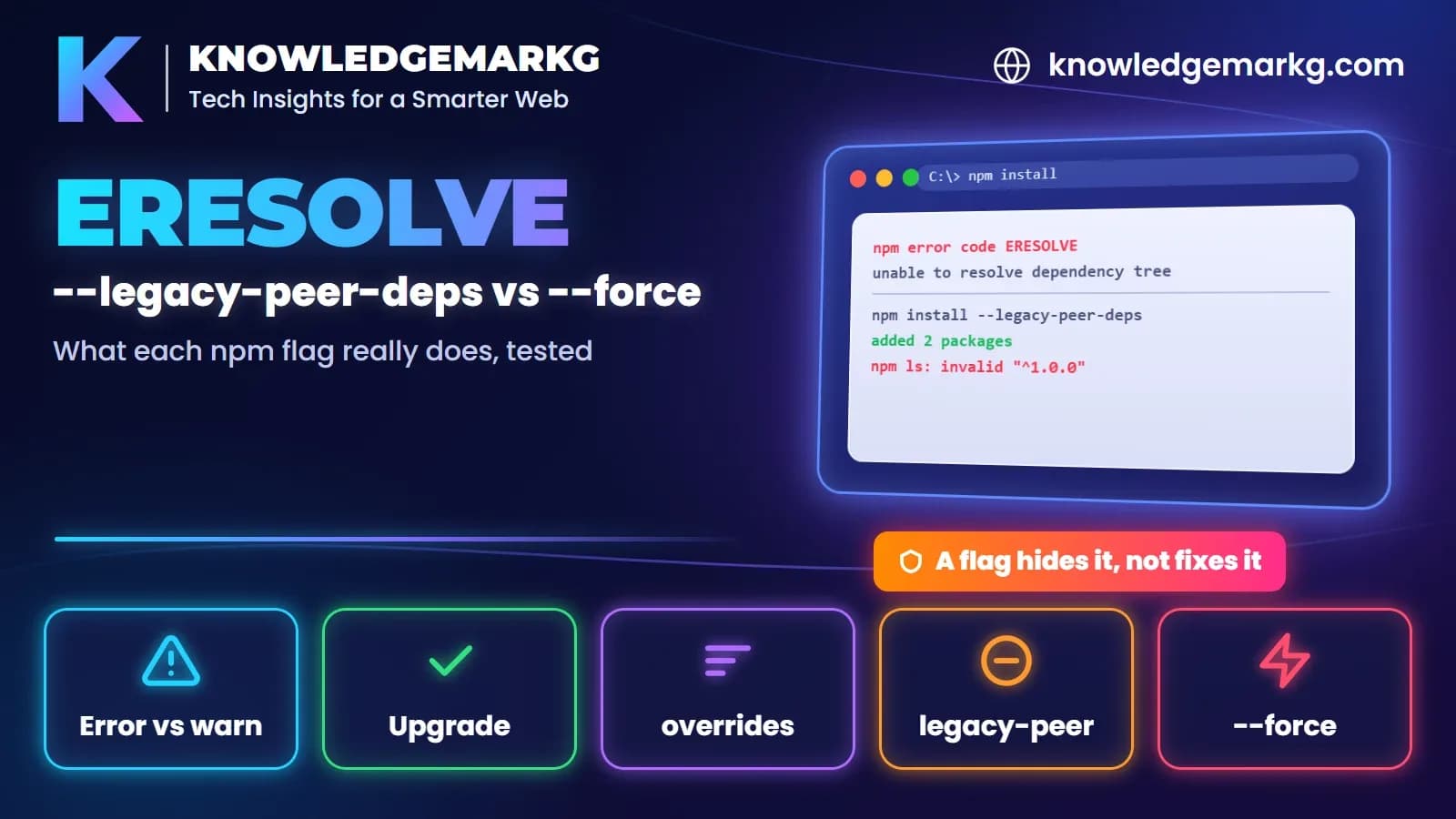
npm has two messages with "ERESOLVE" in them, and they're easy to mix up. One is an error
and the install stops. The other is a warning and the install carries on. The usual advice for
both is "add --legacy-peer-deps" or "add --force", but the two flags don't do the same
thing, and neither one fixes the conflict.
I wanted to see exactly what each option does, so on 20 November 2026 I built a tiny conflict out of three local
packages and installed it with npm 10.9.2, offline, so nothing came from the registry. A plugin wants
kmg-lib@^1.0.0 as a peer dependency, and the project uses kmg-lib@2.0.0. That's the same
shape as a React 18 plugin in a React 19 app. Every output below is copied from that test. Where I couldn't observe
something, I say so.
ERESOLVE unable to resolve dependency tree (the error)
npm error code ERESOLVE
npm error ERESOLVE unable to resolve dependency tree
npm error
npm error While resolving: case-a@1.0.0
npm error Found: kmg-lib@2.0.0
npm error node_modules/kmg-lib
npm error   kmg-lib@"file:../src/kmg-lib-2.0.0.tgz" from the root project
npm error
npm error Could not resolve dependency:
npm error peer kmg-lib@"^1.0.0" from kmg-plugin@1.0.0
npm error node_modules/kmg-plugin
npm error   kmg-plugin@"file:../src/kmg-plugin-1.0.0.tgz" from the root project
npm error
npm error Fix the upstream dependency conflict, or retry
npm error this command with --force or --legacy-peer-deps
npm error to accept an incorrect (and potentially broken) dependency resolution.
Read it bottom-up. Could not resolve dependency names the package with the strict peer requirement:
kmg-plugin@1.0.0 wants kmg-lib@"^1.0.0". Found shows what you actually have:
kmg-lib@2.0.0, requested by "the root project", meaning your own package.json. When both
packages are your direct dependencies, npm refuses to pick a side, and you get this error and exit code 1.
The last three lines are npm's own advice, and note its wording: retrying with a flag means accepting "an incorrect (and potentially broken) dependency resolution".
ERESOLVE overriding peer dependency (the warning)
This one usually shows up without you asking for anything. When I ran npx n8n earlier the same day,
the install printed 32 of these and still finished with exit code 0:
npm warn ERESOLVE overriding peer dependency
npm warn While resolving: @ai-sdk/anthropic@2.0.61
npm warn Found: zod@3.25.67
npm warn node_modules/zod
...
npm warn Could not resolve dependency:
npm warn peer zod@"^3.25.76 || ^4.1.8" from @ai-sdk/anthropic@2.0.61
npm warn node_modules/@ai-sdk/anthropic
npm warn   @ai-sdk/anthropic@"2.0.61" from n8n@2.22.6
The difference is where the conflict is. Here it's between two packages deep inside n8n's own dependency
tree, not in your package.json. For that case npm's docs describe the default behaviour: deep
conflicts are "resolved using the nearest non-peer dependency specification", and when that happens "a warning is
printed". So the warning means npm already chose a version for you that sits outside a package's stated peer
range. My local reproduction, with the conflict inside a wrapper package, printed the same warning with no flag at
all.
If it's inside a package you installed, as with n8n, it's that package's maintainers' conflict. You can usually
ignore it unless something actually breaks. If you set --strict-peer-deps, npm treats this warning as a
failure instead.
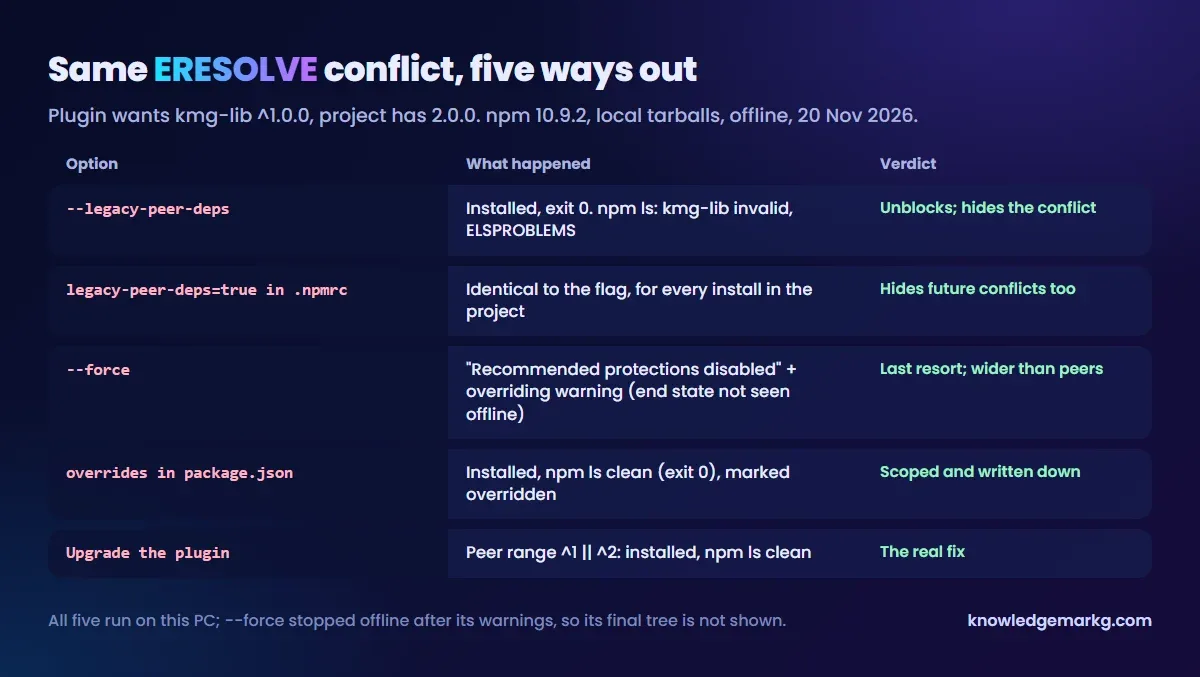
What --legacy-peer-deps really does
C:\case-a>npm install --legacy-peer-deps
added 2 packages in 1s

C:\case-a>npm ls --all
case-a@1.0.0
├── kmg-lib@2.0.0
└─┬ kmg-plugin@1.0.0
  └── kmg-lib@2.0.0 deduped invalid: "^1.0.0" from node_modules/kmg-plugin

npm error code ELSPROBLEMS
The install "worked" with exit code 0. Then npm ls flagged the exact problem the error had warned
about: kmg-lib@2.0.0 is invalid for kmg-plugin, and npm ls itself
exited with ELSPROBLEMS. That matches the npm docs: the flag "causes npm to completely ignore
peerDependencies when building a package tree, as in npm versions 3 through 6", and its use "is not
recommended".
Putting legacy-peer-deps=true in .npmrc gave an identical result. It's the same flag,
just applied to every install in that project, including your teammates' and your CI's. That's convenient, and it
also hides every future peer conflict.
What --force really does
C:\case-a>npm install --force
npm warn using --force Recommended protections disabled.
npm warn ERESOLVE overriding peer dependency
npm warn While resolving: kmg-plugin@1.0.0
npm warn Found: kmg-lib@2.0.0
...
--force opens with "Recommended protections disabled", and it's a much wider switch than the peer
flag. According to npm's config docs it also allows installing packages whose engines field asks for a
different Node or npm version, lets npm audit fix go outside your semver ranges (including major
versions), and allows "conflicting peerDependencies to be installed in the root project". Instead of ignoring peers
like --legacy-peer-deps, it keeps them and overrides the conflict, which is why you see the same
"overriding peer dependency" warning.
One limit of my test: after the warnings, my offline sandbox stopped because npm tried to fetch the peer version
from the registry, which a made-up package can't satisfy. So I saw how --force starts, but not the tree
it ends with. If you only need to get past a peer conflict, --legacy-peer-deps is the narrower of the
two.
The fixes that actually remove the conflict
1. Upgrade the package with the strict peer range. This is the real fix. I added a
kmg-plugin@2.0.0 whose peer range is ^1.0.0 || ^2.0.0. With kmg-lib@2.0.0
it installed cleanly and npm ls exited 0, with no flags. To check whether a newer version supports
your setup:
npm view kmg-plugin versions
npm view kmg-plugin@latest peerDependencies
npm explain kmg-lib
If the newest version still doesn't list your version in peerDependencies, look at the package's
issue tracker. Support is often merged but not released yet.
2. Use overrides when you know the newer version works. This tells npm to give the
plugin your own copy of the library, on purpose and in writing (version numbers simplified here; my test pointed
at local tarballs):
{
  "dependencies": {
    "kmg-lib": "2.0.0",
    "kmg-plugin": "1.0.0"
  },
  "overrides": {
    "kmg-plugin": {
      "kmg-lib": "$kmg-lib"
    }
  }
}
C:\case-o>npm ls --all
case-o@1.0.0
├── kmg-lib@2.0.0 overridden
└─┬ kmg-plugin@1.0.0 overridden
└── kmg-lib@2.0.0 dedupedIt installed without flags and npm ls exited 0, marking both packages overridden. Unlike
--legacy-peer-deps, the override is limited to the one package you named and it's recorded in
package.json, so the next person can see the decision. ($kmg-lib means "the version of
kmg-lib in my own dependencies".)
3. Downgrade the library to a version inside the plugin's peer range, if you don't need the new major yet.
Which one should you use?
- Warning ("overriding peer dependency") from a package you installed: usually leave it. It's inside that package's tree.
- Error ("unable to resolve dependency tree"): read the
Could not resolve dependencyline, then upgrade that package if a version supports yours. - No compatible version yet, and you've tested it works:
overridesfor that one package. - Need to get unblocked right now:
--legacy-peer-depsfor that one install. Runnpm lsafterwards so you know what's invalid. --force: last resort. It turns off more than peer checks.
A related trap from the same day: npm also picks package versions based on your Node version without saying so. I hit it installing n8n, covered in installing n8n on Windows without Docker. If npm itself is "not recognized", that's a PATH problem, and the Python version of that error walks through the same fix.

Join the conversation
No comments yet — be the first to share what you think.