


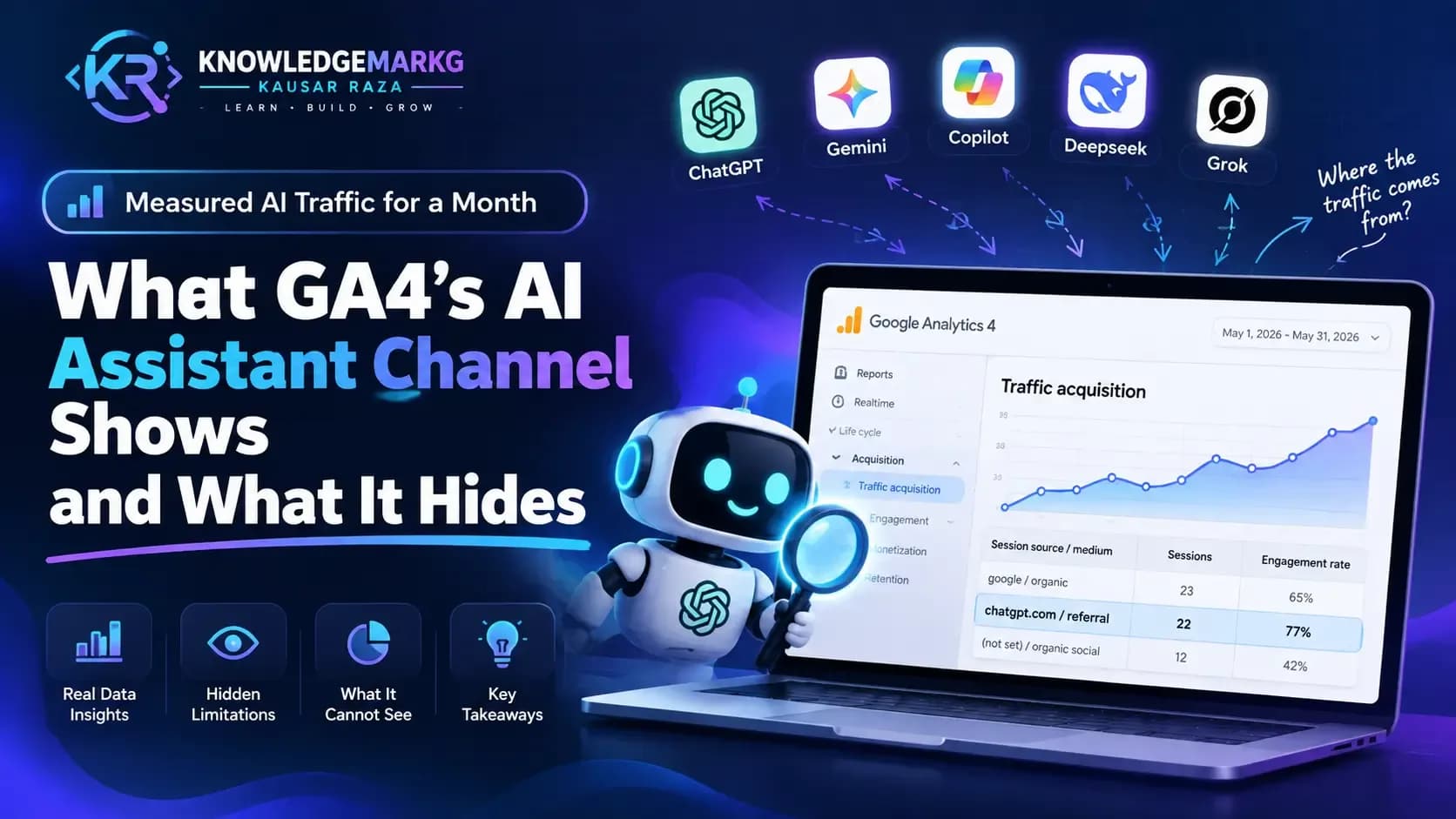
In May 2026 Google added an AI Assistant channel to GA4's default channel group. No configuration, no regex, no custom channel: sessions arriving from ChatGPT, Gemini, Copilot, Deepseek and Grok now land in their own bucket.
Plenty has been written about what the channel is. Almost nothing has been written about what the numbers in it actually look like on a small site, because most of the people writing have large sites and no reason to publish the raw figures.
Here are mine. Twenty-eight days, to 1 October 2026, from a site that gets a few hundred sessions a month.
The numbers
Channel            Sessions   Engagement rate
-----------------------------------------------
Organic Search           23               65%
AI Assistant             22               77%
Organic Social           12               42%
Two things stand out, and only one of them was what I expected.
ChatGPT sends about as much traffic as Google does. By source: google 26 sessions, chatgpt.com 22. For a site whose search rankings are, frankly, nowhere, an assistant most people still think of as a chatbot is matching the largest search engine in the world.
The AI traffic engages better than anything else. 77% engagement rate against 65% from organic search and 42% from social. That is the finding I did not expect, and on reflection it makes sense: nobody arrives from an assistant by accident. They asked a question, the assistant named a source, they chose to click through. That is a filter organic search does not apply.
The volumes are tiny and I am not going to pretend otherwise - 22 sessions is not a business. But the ratio is the interesting part, and the ratio is what will still be true when the volumes are ten times larger.
What the channel cannot see
This is the part that matters more than the headline number, and it is why you should treat your AI Assistant figure as a floor rather than a measurement.
The channel works by reading the referrer header. It is only populated when the assistant sends one. It frequently does not:
- Copied links. Someone asks ChatGPT a question, copies the URL out of the answer and pastes it into a new tab. No referrer. Lands as Direct.
- Mobile apps and in-app browsers. A tap in the ChatGPT iOS app often arrives with nothing attached.
- Assistants not on the list. Perplexity, Claude's own browsing, and the rest of the long tail are not all recognised, and the recognised set changes.
- The answer the visitor never clicked. If the assistant answered from your content without a click, there is nothing to measure at all.
The commonly quoted estimate is that between a fifth and two fifths of AI-originated visits arrive with no referrer. That means your real AI number is somewhere above what GA4 shows you, and nobody can tell you exactly how far above.
On my own property the Direct bucket is by far the largest, and at this scale it is not a number I would read anything into - a handful of automated checks and my own visits are enough to swamp it. That is worth saying plainly, because a large Direct figure is exactly where an undercounted AI number would be hiding, and exactly where wishful thinking goes to live.
How to look at it in GA4
Nothing to install. In GA4, open Reports → Acquisition → Traffic acquisition and the AI Assistant row is already there. Three things are worth doing beyond glancing at it:
- Compare engagement, not just sessions. If AI traffic engages better than your organic traffic - mine does, by a clear margin - that is an argument for writing the kind of page an assistant can quote, independent of volume.
- Check which pages they land on. Add Landing page as a secondary dimension. The pages assistants send people to are rarely the ones you would guess, and they tell you what your site is actually useful for.
- Watch the direction, not the level. At small volumes any single week is noise. Mine went from 5 sessions to 17 in a week, which sounds dramatic and means very little on its own. Three months of the same direction would mean something.
What actually seems to earn the citation
I wrote separately about how pages get retrieved and cited by assistants, including the parts that make no measurable difference. The short version, now with a month of data behind it rather than theory:
The pages that get AI traffic here are the specific ones. Not the general guides - the posts that answer one awkward question completely, with the actual error message, the actual command, the actual number. That is the shape of thing an assistant can lift a sentence from and attribute. A broad overview has nothing quotable in it; it has already been said better by a site with more authority.
Which is, conveniently, the same thing that makes a page worth reading. The advice that works for assistants and the advice that works for humans have converged more than the SEO industry would like to admit.
Should you act on this?
Not by rewriting your site for robots. Two things are worth doing, and both are cheap:
Start measuring it. The channel exists and costs nothing. In a year you will want the baseline, and you cannot create it retroactively.
Write at least some pages that are quotable. One specific, complete answer to a real problem, with the details other people leave out. That is the unit assistants cite, and it is the unit people bookmark.
What is not worth doing yet is treating AI traffic as a channel to optimise the way you would optimise paid search. Twenty-two sessions is a signal, not a strategy. The point of measuring it now is to know, with numbers rather than opinions, when it stops being a signal and becomes something you should actually be spending time on.
Join the conversation
No comments yet — be the first to share what you think.